Animate a Mixamo-rigged character in Blender without keyframes
Moveset recognises the Mixamo skeleton on its own. Import your character, create it as a Moveset character, pick animations and states, and bake them to Actions
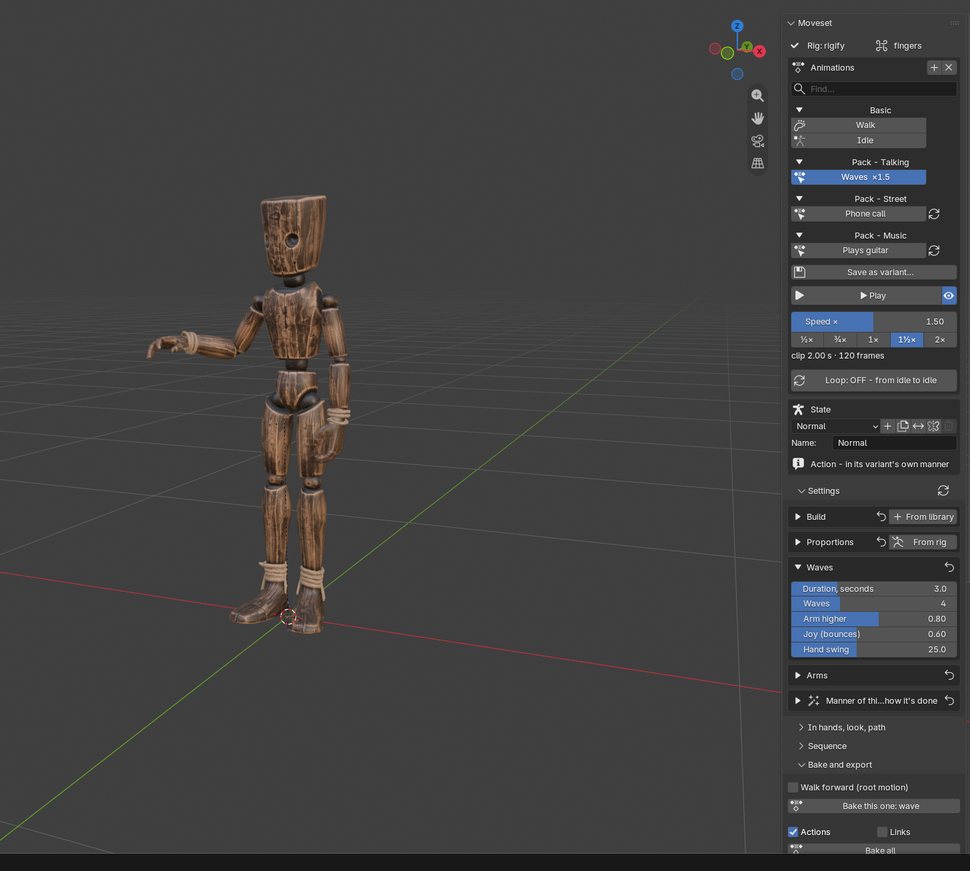
Step by step
- STEP 1Import the character
File › Import › FBX and pick the Mixamo file. The skeleton comes in with the
mixamorig:bone names - STEP 2Open the panel
Select the armature, press N in the 3D View and open the Moveset tab. The panel shows
Rig: mixamo - STEP 3Create the character
One click. Arm and leg lengths are measured from the rig, so hands land on this model's face, chest and hips
- STEP 4Add animations
Open the library and add Walk, Idle and any actions, a pack or a whole character kit. Pick a state: Normal, Brisk, Weary, Cold, Drunk and more
- STEP 5Play, tune, bake
Press Play, move the sliders, then Bake. You get ordinary Actions such as
walk_wearyandwave_cold
What works with Mixamo rigs
Skeleton
- Prefixed names (
mixamorig:Hips) and the unprefixed variant - Fingers with two or three bones
- Proportions, palm direction and fingers detected from the skeleton
Result
- Baked at the scene frame rate: 24, 30 or 60 fps
- In place, or with root motion forward, sideways and up
- FBX export for Unity and Unreal, GLB for Godot
Not a Mixamo skeleton? The same steps work for Rigify, VRoid, Unreal and any humanoid. How Moveset compares with Mixamo