01
InstallУстановка
Moveset is a Blender extension for Blender 4.2 and newer (tested on 5.2). It needs nothing else installed
- Download
moveset-1.0.0.zip. Do not unpack it - In Blender open Edit › Preferences › Get Extensions, click the arrow at the top right and choose Install from Disk…
- Pick the zip. The add-on switches on by itself
- In the 3D View press N to open the sidebar and select the Moveset tab
The interface follows Blender's language: Russian if Blender is in Russian, English otherwise. You can force one in the add-on preferences
Moveset - расширение для Блендера 4.2 и новее (проверено на 5.2). Ничего дополнительно ставить не нужно
- Скачайте
moveset-1.0.0.zip. Распаковывать не нужно - В Блендере откройте Правка › Настройки › Получить расширения, нажмите стрелку справа вверху и выберите Установить с диска…
- Укажите архив. Аддон включится сам
- В 3D-виде нажмите N, откроется боковая панель, выберите вкладку Moveset
Язык интерфейса - как у Блендера: по-русски, если Блендер по-русски, иначе по-английски. В настройках аддона язык можно выбрать вручную
02
First five minutesПервые пять минут
- No rig at hand? Add › Moveset Mannequin puts a ready test figure in the scene. Or select your own character's armature
- In the Moveset tab press Create character. The add-on recognises the skeleton and measures its proportions
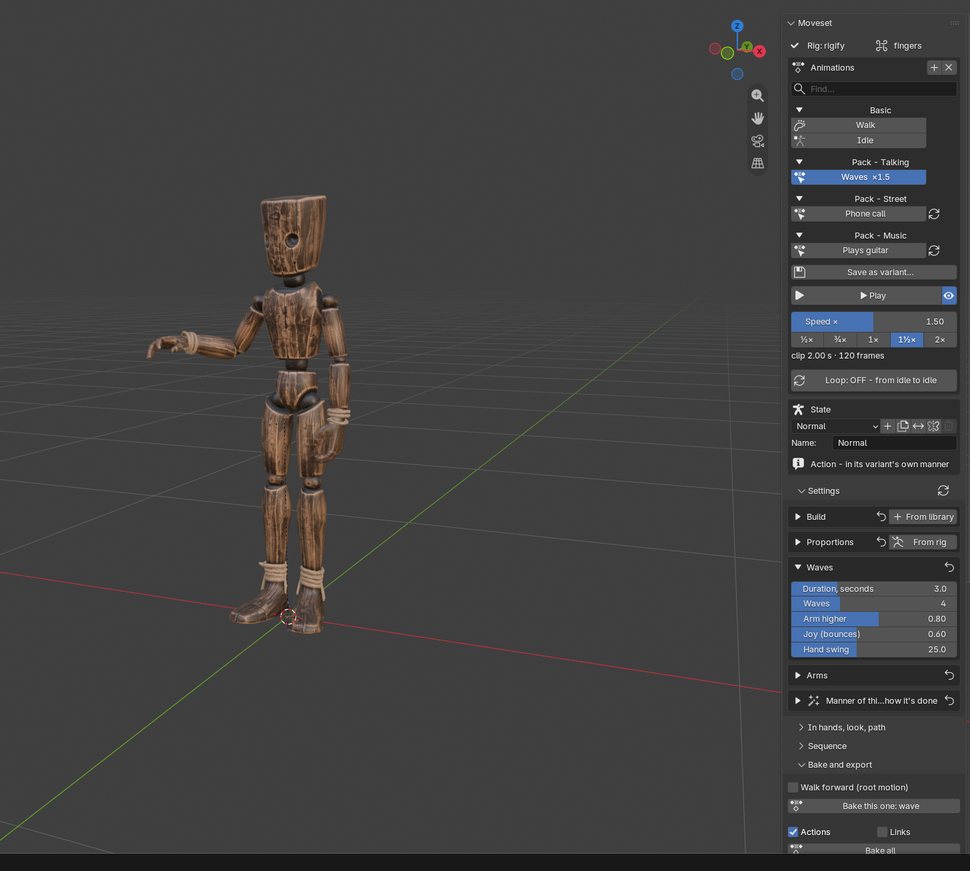
- The Animations list already has Walk and Idle. Click one and press ▶ Play - the rig moves on the timeline
- Open Library, pick a picture, for example Waves. It appears in the list; play it the same way
- Drag a slider under Settings: the pose changes on the current frame
- When it looks right, open Bake and export and press Bake this one. You get a normal Blender Action,
wave
- Нет рига под рукой? Добавить › Манекен Moveset ставит в сцену готовую фигуру для проб. Или выделите арматуру своего персонажа
- Во вкладке Moveset нажмите Создать персонажа. Аддон узнает скелет и снимет его пропорции
- В списке Анимации уже есть Ходьба и Покой. Выберите и нажмите ▶ Смотреть - риг задвигается на таймлайне
- Откройте Библиотеку и выберите картинку, например Машет рукой. Действие появится в списке, смотрится так же
- Подвиньте любой ползунок в Настройках - поза на текущем кадре меняется сразу
- Когда нравится, откройте Запекание и экспорт и нажмите Запечь только эту. Получится обычное действие Блендера,
wave
03
Your rigВаш риг
These skeletons are recognised on their own, the panel shows Rig: … and whether it has fingers:
- Rigify metarig and the generated Rigify rig (the add-on drives the FK controls)
- Mixamo, with or without the
mixamorig:prefix, 2- or 3-bone fingers - VRoid / VRM imported through glTF
- Unreal Engine 5 and 4 mannequin skeletons
- Any rig with humanoid names: Hips, Spine, LeftUpperLeg…
A skeleton the add-on does not know
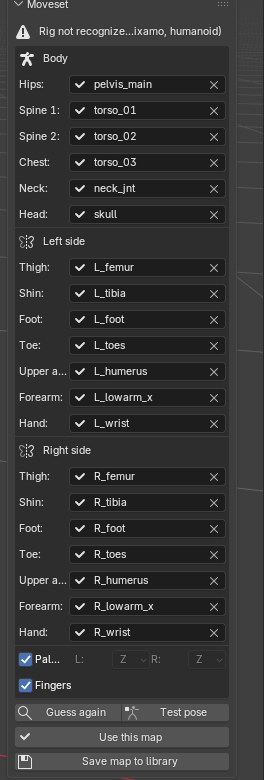
Press Map bones manually. The add-on guesses each slot from bone names (left/right, .L/_l, thigh/upleg/femur, forearm/lowerarm…) and from the skeleton's structure, and skips twist bones, IK targets, hair and clothes
Check the list: body (hips, spine 1 and 2, chest, neck, head), then thigh, shin, foot, toe, upper arm, forearm and hand for each side, and the fingers. A check mark means the bone is found; pick any missing one from the field's search
Test pose shows a step with one arm forward and a fist - a swapped side is obvious at once. Then press Use this map. Save map to library makes rigs with the same bone names recognised by themselves next time
Required: hips, chest, head, and thigh, shin, foot, upper arm, forearm and hand on both sides. Neck, toes and fingers are optional
Proportions
When you create a character, arm and leg lengths are measured from the rig, so a hand lands on this model's forehead, chest or hip. If you change the model later, press From rig next to Proportions
Эти скелеты узнаются сами, в панели появится Риг: … и есть ли пальцы:
- Rigify: metarig и сгенерированный риг (аддон управляет FK-контролами)
- Mixamo, с приставкой
mixamorig:и без, пальцы из 2 или 3 костей - VRoid / VRM после импорта glTF
- Скелеты манекенов Unreal Engine 5 и 4
- Любой риг с гуманоидными именами: Hips, Spine, LeftUpperLeg…
Незнакомый скелет
Нажмите Привязать кости вручную. Аддон угадает каждое место по именам костей (left/right, .L/_l, thigh/upleg/femur, forearm/lowerarm…) и по строению скелета, а кости скрутки, IK-цели, волосы и одежду пропустит
Проверьте список: корпус (таз, спина 1 и 2, грудь, шея, голова), дальше для каждой стороны бедро, голень, стопа, носок, плечо, предплечье и кисть, и пальцы. Галочка - кость найдена; недостающую выберите поиском в поле
Проверить позой - шаг, одна рука вперёд, кулак: перепутанная сторона видна сразу. Затем Использовать привязку. Сохранить карту в библиотеку - и риги с такими же именами костей будут узнаваться сами
Обязательно: таз, грудь, голова и с обеих сторон бедро, голень, стопа, плечо, предплечье и кисть. Шея, носки и пальцы - по желанию
Пропорции
При создании персонажа длины рук и ног снимаются с рига, поэтому ладонь попадает именно этой модели на лоб, грудь или бедро. Если модель потом поменялась, нажмите С рига рядом с Пропорциями
04
The panel, top to bottomПанель сверху вниз
| Section | What it is for |
|---|---|
| Animations | The character's walks, idles and actions, grouped by pack. + adds from the library, ★ marks a favourite, × removes. Under the list: ▶ Play, Speed × with ½× to 2× buttons, the loop switch and Do it while walking |
| State | Which state is being edited and played: add, copy, mix, mirror, rename |
| Library | All animations as pictures or a list (chapter 6) |
| Settings | Sliders: Build and Proportions of the person, then the sliders of the selected walk, idle or action, Arms for touch accuracy and Manner - energy, tempo, crispness |
| In hands, look, path | Something carried while walking, props for the current action, head look-at target, walking along a curve |
| Sequence | Several clips back to back with smooth 0.3 s blends, baked as one Action |
| Bake and export | Root motion, baking, mirrored copies, aim poses, export for Unity, Unreal and Godot, crowds |
Each slider group has a ↺ button that resets the group
| Раздел | Для чего |
|---|---|
| Анимации | Ходьбы, покой и действия персонажа по пакам. + - из библиотеки, ★ - в избранное, × - убрать. Под списком: ▶ Смотреть, Скорость × с кнопками от ½× до 2×, переключатель петли и Сделать на ходу |
| Состояние | Какое состояние правится и играет: добавить, копировать, смешать, отразить, переименовать |
| Библиотека | Все анимации картинками или списком (глава 6) |
| Настройки | Ползунки: Телосложение и Пропорции человека, дальше ползунки выбранной ходьбы, покоя или действия, Руки - точность касаний, и Манера - энергия, темп, резкость |
| В руках, взгляд, путь | Что несёт на ходу, предметы текущего действия, куда смотрит голова, ходьба по кривой |
| Последовательность | Несколько клипов подряд с плавными переходами по 0.3 с, запекается одним действием |
| Запекание и экспорт | Root motion, запекание, зеркальные копии, позы прицела, экспорт для Unity, Unreal и Godot, толпа |
У каждой группы ползунков есть кнопка ↺ - сбросить группу
05
StatesСостояния
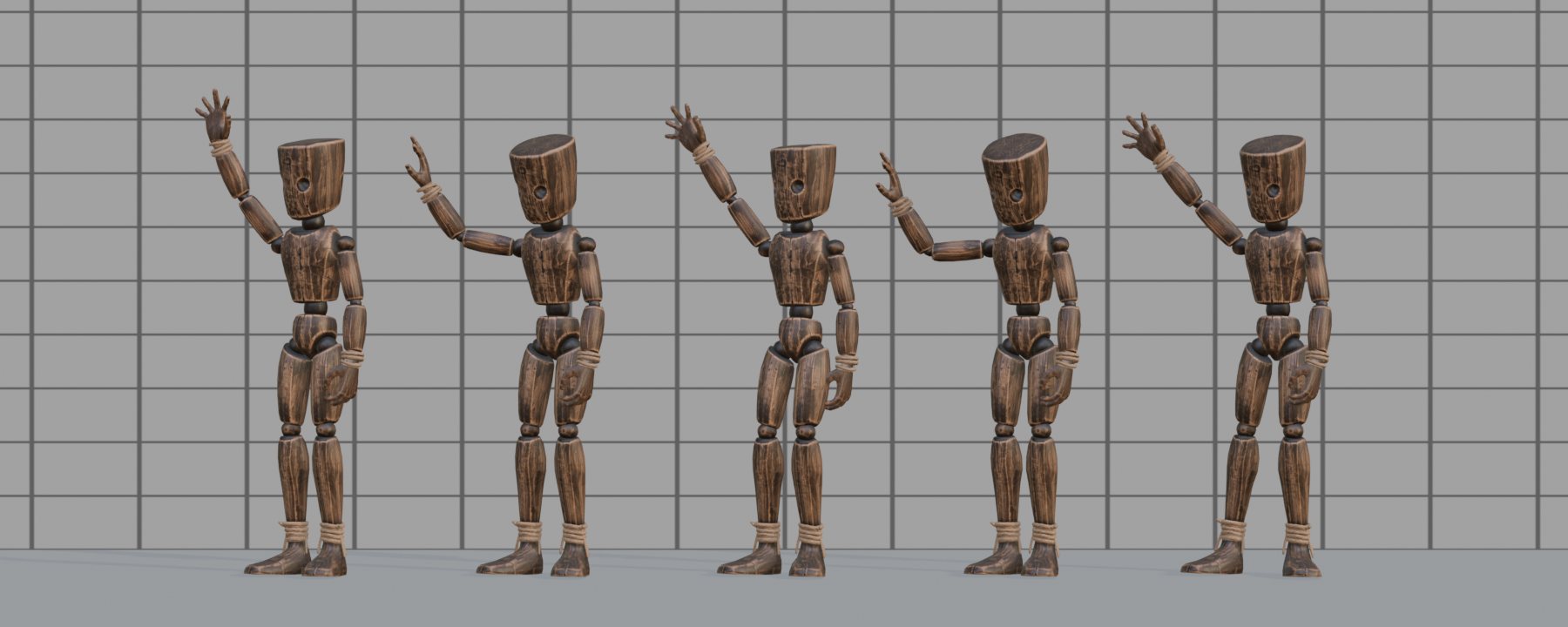
A state is how the person is right now: brisk, weary, cold, drunk, elderly and so on, 14 in the library. It sets the walk and the idle and colours every action. The build (height, shoulders, proportions) is shared by all states of the character
- Add a state from the library with + next to the state list
- Mix two states, for example 60% Brisk and 40% Weary
- Mirror a state for a left-handed character: the manner and the carried item switch sides
- An action played in another state is baked as
<action>_<state>, for examplewave_cold - Add to this state's set marks an action as a habit of the state; Bake all then bakes it in that state
Состояние - какой человек сейчас: бодрый, усталый, замёрзший, пьяный, пожилой и другие, в библиотеке их 14. Оно задаёт ходьбу и покой и окрашивает любое действие. Телосложение (рост, плечи, пропорции) у всех состояний персонажа общее
- Добавить состояние из библиотеки - + рядом со списком состояний
- Смешать два состояния, например 60% «Бодрый» и 40% «Усталый»
- Отразить состояние для левши: манера и предмет в руках меняются сторонами
- Действие в другом состоянии запекается как
<действие>_<состояние>, напримерwave_cold - В набор этого состояния - действие становится привычкой состояния, и Запечь все запечёт его в этом состоянии
06
LibraryБиблиотека
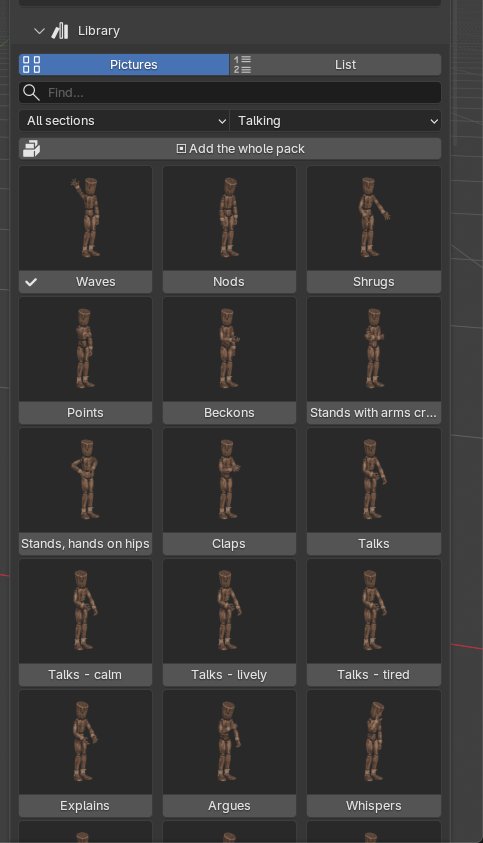
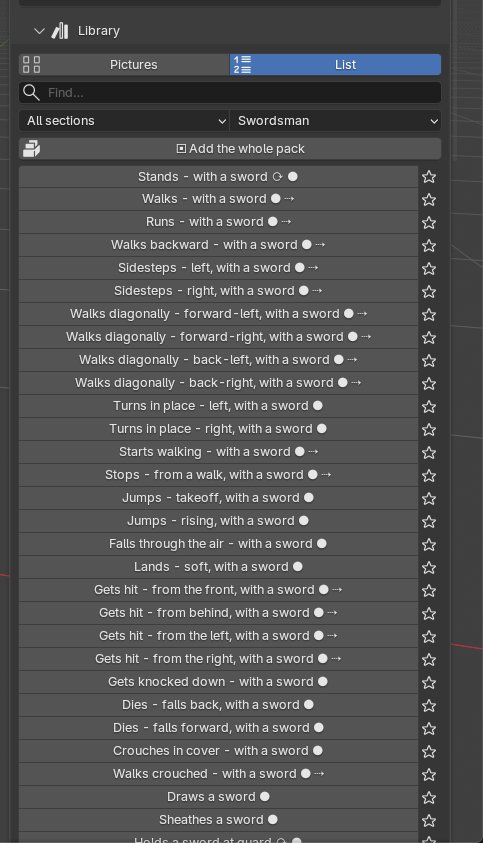
834 animations in 70 packs and 9 sections. The Library section of the panel shows them two ways:
- Pictures - a grid of thumbnails, the mannequin at the most telling moment of each action
- List - names only, with marks ⟳ loop, ● prop in hand, ⇢ root moves, and a star for favourites
Filter by section and pack, or type in the search field in English or Russian. A check mark means the character already has the action. Click to add it. With a pack or section selected, Add the whole pack (or section) asks first and does not overwrite actions you have already tuned
The + menu above the animation list has the same library as nested menus, plus Search…
Your own variants
Tune an action and press Save as variant…: it joins the library under its own name. Set your own library folder in the add-on preferences to keep variants, states and bone maps between projects
834 анимации в 70 паках и 9 разделах. Раздел Библиотека в панели показывает их двумя видами:
- Картинки - сетка миниатюр, манекен в самый характерный момент действия
- Список - только названия, с пометками ⟳ петля, ● предмет в руке, ⇢ ход корня, и звёздочкой избранного
Фильтр - по разделу и паку, или поиск по названию на русском и английском. Галочка - действие уже есть у персонажа. Клик - добавить. Если выбран пак или раздел, Добавить весь пак (или раздел) сначала спросит и не перепишет уже настроенные действия
Меню + над списком анимаций - та же библиотека вложенными меню и Найти по смыслу…
Свои виды
Настройте действие и нажмите Сохранить как вид… - оно появится в библиотеке под своим именем. Свою папку библиотеки можно указать в настройках аддона: виды, состояния и привязки костей будут общими для всех проектов
07
Actions and propsДействия и предметы
Loop or one-off
With the loop switch off, a gesture starts and ends in the idle pose. With it on, the pose holds for the whole clip and the clip closes without a seam - what a game needs for a repeating animation
Speed
Speed × under Play makes any clip faster or slower. For walks it changes stride and cadence together, the way a person speeds up
While walking
Do it while walking keeps the legs walking and puts the action on the upper body: talking on the phone, drinking, waving on the move. The clip gets a whole number of steps, so it loops
Props
- Props of this animation creates simple stand-in objects for a guitar, sword, shovel or phone and parents them to the hand bone. Replace them with your own models
- To give the character your own object, select it, then the rig, and press Object to right hand or left
- Some props appear and disappear during the clip: the sword leaves its scabbard, a grenade leaves the hand. The Action gets markers
sword_show,grenade_hideand so on
Петля или разовое
С выключенной петлёй жест начинается и кончается позой покоя. С включённой - поза держится весь клип и клип замыкается без шва: так нужно игре для повторяющейся анимации
Скорость
Скорость × под кнопкой «Смотреть» ускоряет или замедляет любой клип. У ходьбы меняются вместе шаг и темп - как человек ускоряется на самом деле
На ходу
Сделать на ходу - ноги идут, а верх тела делает действие: говорит по телефону, пьёт, машет на ходу. В клипе целое число шагов, поэтому он замыкается петлёй
Предметы
- Предметы этой анимации создают простые заглушки - гитару, меч, лопату, телефон - и цепляют к кости кисти. Замените их своими моделями
- Свой предмет: выделите его, потом риг, и нажмите Предмет в правую или левую
- Некоторые предметы появляются и исчезают по ходу клипа: меч выходит из ножен, граната уходит из руки. В действии стоят метки
sword_show,grenade_hideи другие
08
For gamesДля игр
The For games section is built for an animation state machine:
- Loops in place: run, sprint, walking back, side steps, crouching, crawling, and an 8-way grid for blend spaces. Each has its root speed written into the export file
- Transitions: start and stop from a walk or a run, a 180° pivot, crouch down and up. They begin and end on the exact frames of the loops they connect
- Jumps: takeoff, rise and fall loops, soft and hard landing, running jump
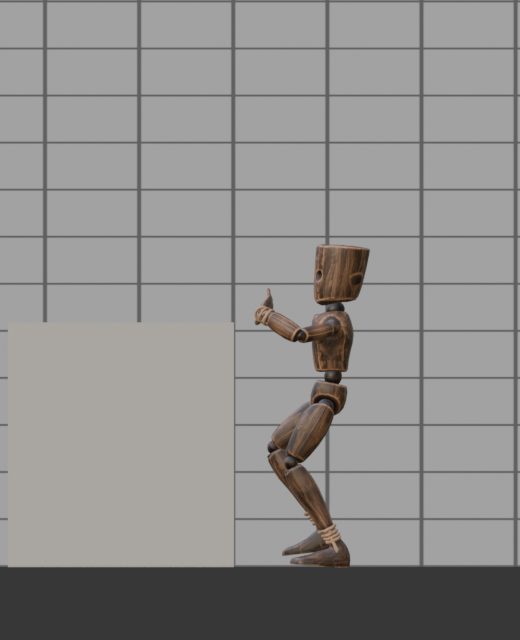
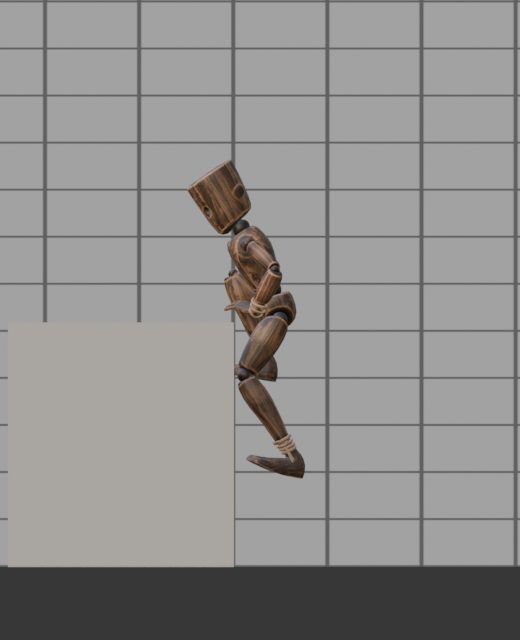
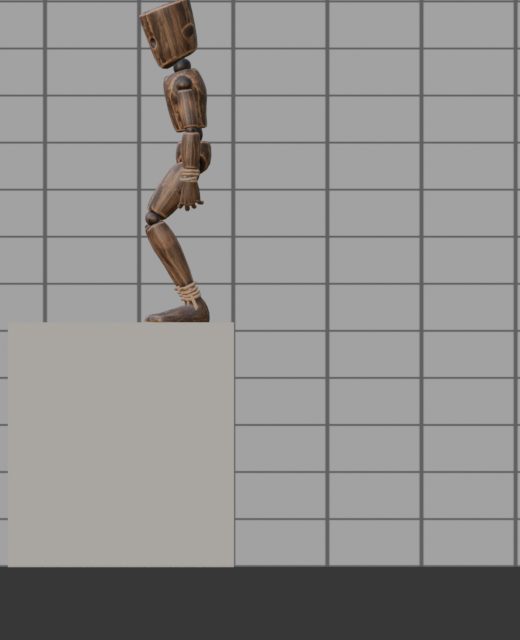
- Obstacles: stairs up and down, a ladder (get on, climb, get off at the top), vault, climbing onto a ledge, dropping from one, dodge roll. Heights are sliders; the root moves up and down as well as forward
- Hits and falls: four directions, light and heavy, knockdown, get up, three deaths
- Interaction and NPC ambience: doors, levers, chests, terminals, leaning, dozing, talking
Раздел Для игр собран под граф анимаций в движке:
- Петли на месте: бег, спринт, шаг назад, приставной шаг, вприсядку, ползком и сетка на 8 сторон для blend space. Скорость корня каждой записывается в файл экспорта
- Переходы: старт и остановка с шага и с бега, разворот на 180°, присесть и встать. Начинаются и кончаются ровно кадрами петель, которые соединяют
- Прыжки: отрыв, петли взлёта и падения, мягкое и жёсткое приземление, прыжок с разбега
- Препятствия: лестница вверх и вниз, приставная лестница (встать, лезть, сойти наверху), перепрыгнуть, забраться на уступ, спрыгнуть, кувырок. Высоты - ползунками, корень идёт и вверх-вниз, а не только вперёд
- Удары и падения: с четырёх сторон, лёгкие и сильные, сбит с ног, подъём, три смерти
- Взаимодействие и фон для NPC: двери, рычаги, сундуки, терминалы, опирается, дремлет, говорит
Character kitsНаборы персонажа
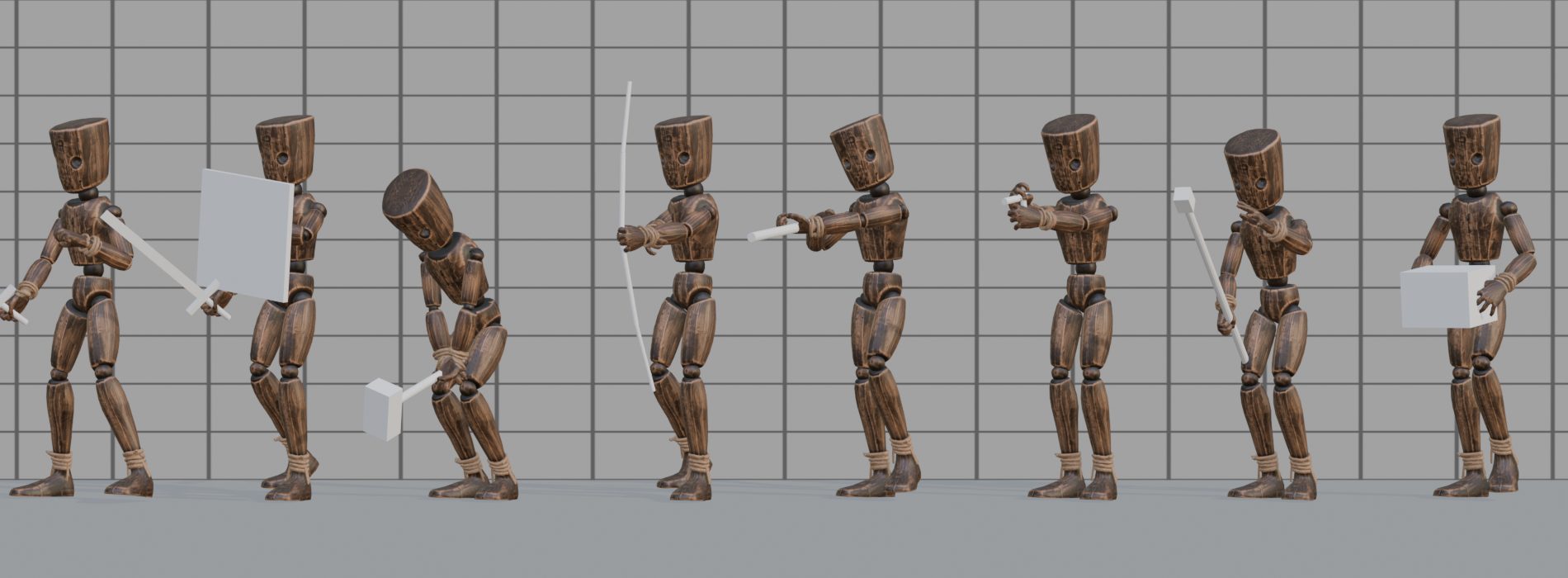
19 kits - swordsman, archer, rifleman, zombie, stealth, carrier and others - each with the full set around one weapon or role: idle, 8-way walk, run, crouch, turns, start and stop, jump, hits, knockdown and deaths, all with the item in hand, plus the kit's own moves. Add a whole kit from Library › Character kits
The Ready slider moves the weapon between on guard (1) and lowered (0). For the rifle and pistol it is Barrel
19 наборов - мечник, лучник, стрелок, зомби, стелс, грузчик и другие. В каждом полный круг вокруг одного оружия или роли: покой, ходьба на 8 сторон, бег, вприсядку, повороты, старт и остановка, прыжок, попадания, сбит с ног и смерти - всё с предметом в руках, и свои движения набора. Весь набор добавляется из Библиотеки › Наборы персонажа
Ползунок Наготове переводит оружие из стойки (1) в опущенное (0). У винтовки и пистолета это Ствол
09
BakingЗапекание
Live preview shows the pose on the rig, but an engine or a render needs keyframes. Everything below is in Bake and export
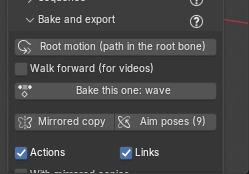
- Bake this one - the selected animation in the selected state. Bake all - every walk, idle and action of the character, in each state's set; tick Actions and Links to choose what goes in
- Bake all selected - the same for several characters at once
- Frames follow the scene frame rate (24, 30, 60)
- Root motion puts the path into the root bone, and adds a root bone if the rig has none. Off: the character moves in place
- Walk forward (for videos) moves the character in the scene without root motion. Make the timeline longer than the clip
- With mirrored copies and Mirrored copy add
…_mirrorclips; Aim poses (9) makes an aim offset - After a slider change, the baked Action is marked outdated; Rebake redoes only those, aim poses included
- The list under Bake all shows every baked Action: click one to play it on the rig, the bin deletes it from the file. Actions whose animation you removed from the character are marked with a cross; Remove clears them all
- Rigs copied with Shift+D become separate characters when baked. If a clip name is already used by another character, the new clip gets the rig name in front, for example
Hero.002.walk_normal
Живой просмотр показывает позу на риге, а движку и рендеру нужны ключи. Всё ниже - в разделе Запекание и экспорт
- Запечь только эту - выбранная анимация в выбранном состоянии. Запечь все - все ходьбы, покой и действия персонажа по наборам состояний; галочки Действия и Ссылки - что включать
- Запечь все выделенные - то же сразу для нескольких персонажей
- Кадры идут с частотой сцены (24, 30, 60)
- Root motion пишет путь в корневую кость и сам добавит её, если у рига нет. Выключено - персонаж движется на месте
- Идти вперёд (для роликов) двигает персонажа по сцене без root motion. Сделайте таймлайн длиннее клипа
- С зеркальными копиями и Зеркальная копия добавляют клипы
…_mirror; Позы прицела (9) - позы для aim offset - Если после запекания подвинуть ползунок, действие помечается устаревшим; Перезапечь обновит только их, позы прицела тоже
- Список под Запечь все - все запечённые действия: щелчок - проиграть на риге, корзина - удалить из файла. Действия, анимацию которых убрали из персонажа, отмечены крестом; Убрать удалит их все
- Риги, скопированные через Shift+D, при запекании становятся отдельными персонажами. Если имя клипа уже занято другим персонажем, новый клип получит имя рига впереди, например
Hero.002.walk_normal
10
Export to an engineЭкспорт в движок
Press Unity, Unreal or Godot and pick a file name. The rig, its meshes and all its baked Actions go out with the settings each engine expects. With several characters selected, each gets its own file with only its own clips
| Engine | File | Root motion on the engine side |
|---|---|---|
| Unity | FBX, unit scale, no leaf bones, every Action as a clip | Apply Root Motion on the Animator |
| Unreal | FBX, armature node without an extra root bone | Enable Root Motion in the animation asset |
| Godot | GLB, each Action becomes an animation | AnimationTree › Root Motion Track = the root bone |
Next to the model you get <file>.moveset.json:
Нажмите Unity, Unreal или Godot и укажите имя файла. Риг, его меши и все его запечённые действия уйдут с настройками, которых ждёт движок. Если выделено несколько персонажей, у каждого будет свой файл только с его клипами
| Движок | Файл | Root motion в движке |
|---|---|---|
| Unity | FBX, масштаб в единицах, без листовых костей, каждое действие - клипом | Apply Root Motion у Animator |
| Unreal | FBX, узел арматуры без лишней корневой кости | Enable Root Motion в ассете анимации |
| Godot | GLB, каждое действие - анимацией | AnimationTree › Root Motion Track = корневая кость |
Рядом с моделью появится <файл>.moveset.json:
| FieldПоле | MeaningЧто это |
|---|---|
frames, seconds, loop | Clip length and whether it loopsДлина клипа и петля ли он |
speed_mps | Root speed of an in-place loop, metres per second: match it to the character controllerСкорость корня петли на месте, м/с: по ней настраивается контроллер персонажа |
steps | Footstep frames and times, left or right foot: for step sounds and dustКадры и время шагов, левая или правая стопа: звук шагов, пыль |
events | Prop events such as sword_show or grenade_hide: attach the weapon, release the grenadeСобытия предметов, например sword_show или grenade_hide: прицепить оружие, выпустить гранату |
aim_poses | Frames of the 9 aim posesКадры 9 поз прицела |
root_motion | Whether the path is in the root boneПуть в корневой кости или нет |
11
CrowdsТолпа
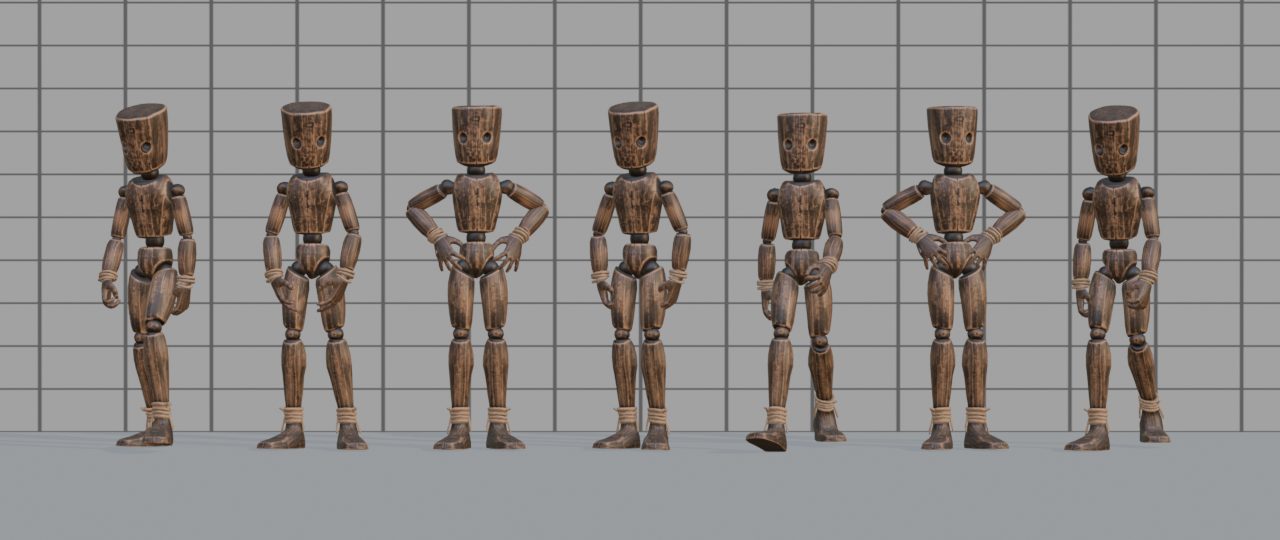
- Put a few rigs in the scene, for example copies of one character made with Shift+D, and select them all
- In Bake and export press Crowd from selected…
- Tick the states to hand out, set the share of walkers, the slider spread, the share of left-handed characters and the time offset
- Press OK. Each character gets its own state and clip, placed on an NLA track named Moveset crowd with its own start frame
The same Seed rebuilds the same crowd; change it to reshuffle. Every character stays editable as usual
- Поставьте в сцену несколько ригов, например копии одного персонажа через Shift+D, и выделите их все
- В разделе Запекание и экспорт нажмите Толпа из выделенных…
- Отметьте состояния для раздачи, долю идущих, разброс ползунков, долю левшей и сдвиг по времени
- Нажмите OK. Каждый получит своё состояние и клип на дорожке NLA Moveset crowd со своим начальным кадром
Тот же Номер раскладки повторяет ту же толпу, другой - перемешивает. Каждого персонажа можно дальше править как обычно
12
QuestionsВопросы
- “Rig not recognized”
- Use Map bones manually (chapter 3). Save the map and it will be found next time
- Playback is slow
- Live preview computes the pose every frame. For smooth playback bake the clip and turn live preview off. A 60 fps scene asks for twice the work of 30. The generated Rigify rig is slower than others because its controls are driven by constraints
- A hand misses the face or the hip
- Press From rig next to Proportions, then fine-tune with the Arms sliders of the action
- The walk jumps back at the end of the timeline
- With Walk forward on, make the timeline longer than the clip, or use root motion
- Clips of two characters overwrite each other
- Copies become separate characters on baking, and a taken clip name gets the rig name in front
- Can I use the animations in a commercial game or film?
- Yes. Everything you make with Moveset - baked Actions, FBX and GLB files, renders, games, films - can go into any of your projects, commercial included, with no royalties and no credit. The wooden mannequin can go into your scenes, renders and games too. You may not share or resell the add-on's library, thumbnails or mannequin files, or sell the animations as a stand-alone animation pack for other creators. The code is GPL-3.0-or-later; the full terms are in LICENSE-content.txt inside the zip
- Something does not work
- Write to nomicrostudio@gmail.com with your Blender version, the rig type and a screenshot of the error
- «Риг не узнан»
- Привязать кости вручную (глава 3). Сохраните привязку - в следующий раз риг узнается сам
- Медленно проигрывается
- Живой просмотр считает позу на каждом кадре. Для плавного проигрывания запеките клип и выключите живой просмотр. Сцена на 60 к/с требует вдвое больше работы, чем на 30. Сгенерированный Rigify медленнее других: его контролы ведут ограничители
- Ладонь промахивается мимо лица или бедра
- Нажмите С рига рядом с Пропорциями, потом подгоните ползунками Руки у действия
- Ходьба прыгает назад в конце таймлайна
- С включённым Идти вперёд сделайте таймлайн длиннее клипа или используйте root motion
- Клипы двух персонажей затирают друг друга
- Нет: копии при запекании становятся отдельными персонажами, а занятое имя клипа получает имя рига впереди
- Можно использовать анимации в коммерческой игре или фильме?
- Да. Всё, что сделано в Moveset, - запечённые действия, FBX и GLB, рендеры, игры, фильмы - можно использовать в любых своих проектах, в том числе коммерческих, без отчислений и указания авторства. Деревянный манекен тоже можно использовать в своих сценах, рендерах и играх. Нельзя раздавать и перепродавать библиотеку, миниатюры и файлы манекена из аддона и продавать анимации отдельным паком для других авторов. Код - GPL-3.0-or-later; полные условия - в LICENSE-content.txt в архиве
- Что-то не работает
- Напишите на nomicrostudio@gmail.com: версия Блендера, какой риг и скриншот ошибки